
Compare your SBD
to real meets
Compare how the same bodyweight and SBD total map across IPF Open, USAPL, USPA / IPL, and WRPF-style powerlifting standards.
Powerlifting class calculator
Result Snapshot
Score snapshot
Was this helpful?
Historical Benchmark
OpenPowerlifting comparison
Benchmark data is loading.
Full SBD required.
P0P50P100
P-
DOTS benchmark appears when DOTS is available.
P0P50P100
P-
Shows the next historical Total threshold.
SBD Percentile Profile
SBD percentile profileIndividual squat, bench press, and deadlift percentiles from P0 to P100.
Was this helpful?
Weight Class Scenario Comparison
Historical percentile by weight class
Uses the same entered performance for every class. This is a historical comparison—not a prediction of strength, eligibility, or meet placing.Compare the same performance across weight classes. Select a bar for details.
Enter squat, bench, and deadlift to compare historical percentiles across weight classes.
Was this helpful?
Standards Table
Weight class by competition standard
Compare your current class and benchmark percentile across different competition standards.Benchmark preview appears after full SBD is entered.
| Standard | Current class | Class range | Benchmark Preview |
|---|---|---|---|
| Enter bodyweight to compare standards. | |||
Was this helpful?
Liftally Competition Planner
Scenario Lab
Preview how bodyweight or lift changes affect DOTS and percentile.
Planner setup required
Complete these items to compare scenarios:
- Select a competition standard
- Enter squat, bench, and deadlift results
Select a metric to see the smallest change that moves your percentile.
Scenario impacts
Was this helpful?
Locked Planner Preview
Track the full story in Liftally
This calculator is one snapshot. Liftally is built for saving, comparing, reporting, and tracking class context over time.
Download Liftally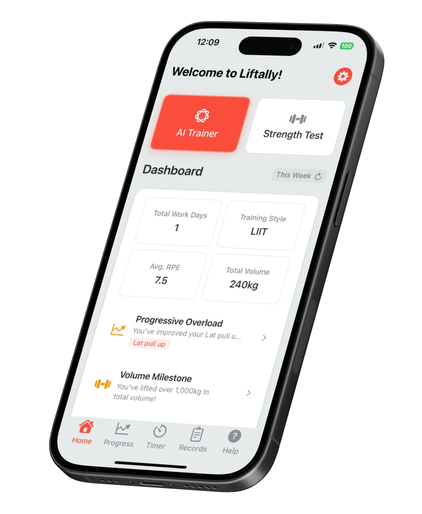
How it works
Powerlifting class and performance context
Enter your bodyweight, competition standard, and best squat, bench, and deadlift. Liftally shows your weight class, SBD total, DOTS score, and nearby class context using historical OpenPowerlifting data when available. These results are for training and meet-planning context, not an official ranking.
What does Weight Class Explorer do?
Weight Class Explorer uses your entered bodyweight, competition standard, and lifts to show powerlifting class context, SBD total, DOTS, and historical comparison context.
What does nearby weight class comparison mean?
Your bodyweight is mapped to the selected federation-style standard. Nearby weight class comparison shows how the same entered lifts are contextualized around adjacent class boundaries.
What is included in SBD total?
SBD total is the sum of your best squat, bench press, and deadlift. Enter all three lifts for the most complete total and DOTS context.
What does the DOTS score mean in this tool?
The DOTS score uses bodyweight and SBD total to provide a bodyweight-adjusted performance context. Liftally shows it alongside available historical context.
What does OpenPowerlifting percentile mean?
An OpenPowerlifting percentile indicates where an entered result falls within matching historical data available to this tool. Data coverage can vary by class and filter combination.
How are historical results organized?
Your best squat, bench press, and deadlift are compared with the best valid results retained for each approximate historical lifter within the same benchmark group and recent ten-year period. Groups are separated by competition standard, sex, weight class, testing status, Raw equipment, and SBD event. Historical lifter identity is approximated using name and sex, and the three lift samples may include different historical entries.
Where does the benchmark data come from?
The benchmark data comes from OpenPowerlifting’s May 2026 public dataset. Liftally uses filtered historical raw SBD results to estimate weight class, DOTS, and percentile context. The results are for training and meet-planning reference only, not official rankings.
What is Scenario Lab?
Scenario Lab lets you preview how selected bodyweight or lift changes affect the tool's displayed class, total, DOTS, and percentile context.
Does the tool predict meet placing?
No. The tool provides historical and class context only; it does not predict meet placing, determine whether you should compete, or recommend bodyweight changes.